A travel itinerary builder is the tool a travel agency, DMC or tour operator uses to turn a client’s brief into a day-by-day trip plan: where they go each day, what they do, where they sleep, how they get there and what it all costs. For a customer, the itinerary is the product. It is the first thing they see of a trip that has not happened yet, and the agency whose itinerary arrives first, reads well and makes the price easy to understand usually wins the booking.
This guide covers how to build a travel itinerary that sells, in seven steps from the first message to the confirmed booking. It explains what a tour package itinerary should carry, where AI helps and where it does not, how the job differs for retail agencies, DMCs and tour operators, and when Word, Canva or Excel stop being enough. You will also find a tour package itinerary template and a checklist for choosing travel itinerary builder software.
What is a travel itinerary builder?
A travel itinerary builder is software for writing, organising and sharing trip plans. For travel professionals it does three jobs at once: it writes the day-by-day programme, it presents it to the customer as a branded document or link, and, in the better tools, it prices it, so the itinerary and the quotation are the same thing rather than two files that drift apart.
The phrase covers three quite different kinds of tool, and it is worth knowing which one you are looking at:
- Trip planners for travellers. Free apps where a holidaymaker lists the places they want to see. Useful for a traveller, but they have no idea of a supplier rate, a margin or your brand.
- Standalone itinerary software for travel agents. Tools that make an itinerary look good, often as a mobile app or a web page, and import bookings already made elsewhere. They present the trip well, but the price usually lives somewhere else.
- An itinerary builder inside a travel CRM. The itinerary is part of the quotation: the days, hotels, transport and price are built together, sent together, and become the booking when the customer accepts.
If you sell tailor-made trips, the third kind matters most, because the expensive part of an itinerary is not the writing. It is keeping the days, the hotels and the price in step while the customer changes their mind three times.
Why itineraries in Word, Canva and Excel slow agencies down
Most agencies build their first hundred itineraries in Word or Canva and price them in Excel. It works, until the volume grows or the team does. The same problems then appear in almost every agency:
- The same Kerala trip is rewritten every week. The text lives in last month’s file, so it is copied, pasted and edited by hand, and yesterday’s customer name sometimes comes with it.
- The days and the price disagree. A night is added to the itinerary but not to the costing sheet, or a hotel is changed in Excel but not in the document the customer is reading.
- Dates are typed by hand. Move the departure by two days and every date in the document has to be found and changed.
- Every proposal looks different. One consultant’s itinerary has photographs and a cover; another’s is a plain list. Your brand depends on who answered the enquiry.
- Several options mean several files. A Budget, Standard and Premium version are three documents, three spreadsheets and three chances of a mistake.
- Nobody knows if it was read. The PDF went out on WhatsApp, and the follow-up depends on someone remembering to ask.
- When the customer says yes, it is all typed again. The booking, the supplier requests and the invoice are rebuilt from the itinerary by hand.

None of this is about writing skill. It is about the itinerary, the price and the follow-up living in different places, which is the problem a proper itinerary builder exists to solve.
What a tour package itinerary should include
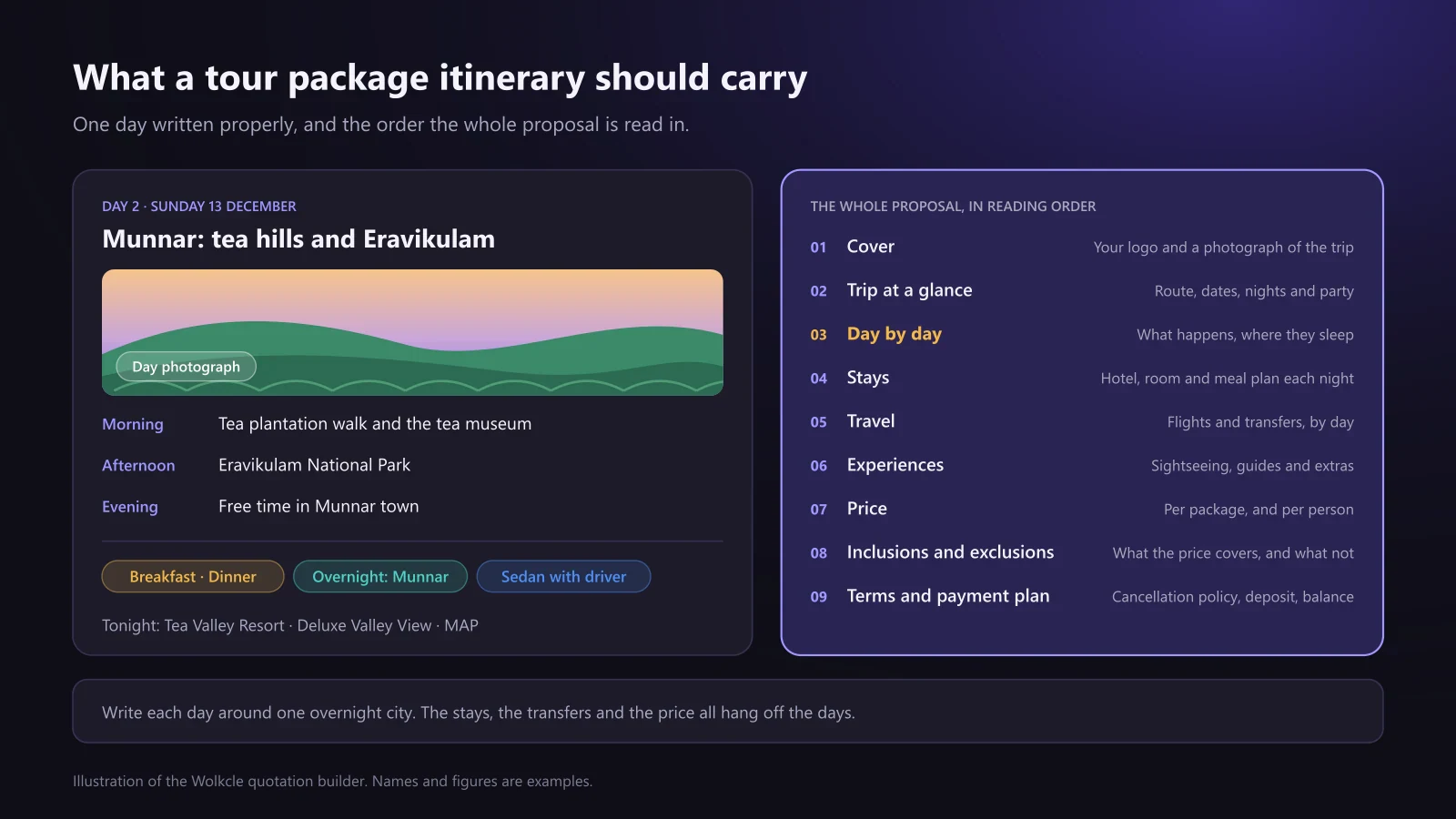
A good itinerary is written around the nights. Decide where the traveller sleeps each night first, then write each day as the journey to, or the time spent around, that night’s city. Each day should carry:
- The day number and date, so the customer can match it to their calendar.
- A short title that sells the day: “Munnar: tea hills and Eravikulam”, not “Day 2 sightseeing”.
- What happens, by time of day: morning, afternoon and evening, with the free time shown as free time.
- The meals included, so nobody expects a dinner that was never in the price.
- The overnight city and hotel, with the room type and meal plan.
- The transfer or flight, if the day involves one.
- A photograph of the actual place, not a stock image of somewhere else.
A tour package itinerary template
Whether you use software or a Word document, this tour package itinerary format covers what a customer needs to decide, in the order they read it:
- Cover: your logo, the trip’s name and one photograph of the destination.
- Trip at a glance: the route, travel dates, number of nights and who is travelling, with children’s ages.
- Day by day: one block per day, written as above.
- Stays: each hotel with its city, nights, room type and meal plan.
- Travel: flights with timings, and transfers with the vehicle type.
- Experiences: sightseeing, guides, entry tickets and anything extra.
- Price: the total for each package option, and per person if that is how your customers compare.
- Inclusions and exclusions: what the price covers, and what it does not, stated plainly.
- Terms and payment plan: the deposit, the balance date and the cancellation policy.
- Your contact: the consultant’s name and number, so a question gets answered rather than shopped around.
How to build a travel itinerary that sells: a 7-step process
These seven steps work for a two-person agency and for a DMC quoting dozens of partner enquiries a week. For each one, we show how the itinerary builder inside Wolkcle’s quotation builder handles it, so you can see what good looks like in practice.
Step 1: Start from the brief, not a blank page
An itinerary can only be as good as the brief behind it. Before writing a single day, make sure you have the destinations, the travel dates or month, the number of nights, who is travelling (with children’s ages, because they change rooms and prices), the budget, and the trip’s style and pace: a honeymoon, a family holiday with a seven-year-old, or a group that wants to see everything. Ask what they must see and what they want to avoid. Two minutes of questions saves two rounds of revisions.
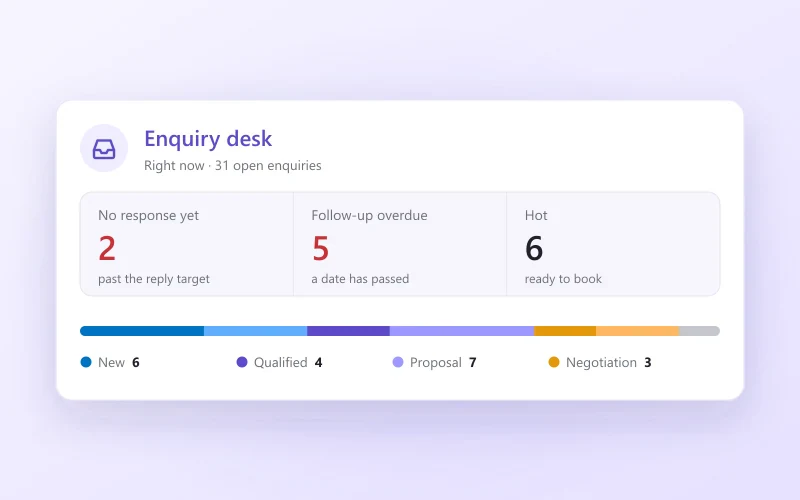
In Wolkcle, when a consultant starts a quotation from an enquiry, the destination, dates, party and budget carry across, so nothing is typed twice. Our guide to travel lead management covers capturing and qualifying the enquiry before this point.
Step 2: Plan the route and the nights before the days
Decide the route first: which cities, in which order, and how many nights in each. A route that backtracks, or a day with six hours on the road and an evening activity, looks fine on paper and exhausting in a car. Check driving times, flight connections from the customer’s home city and anything seasonal, such as a park that closes for part of the year, before you write the day descriptions around them.
Wolkcle’s trip planner does the first draft of this from your own rates. Press Plan the trip and it picks a hotel for every night and the vehicle that joins them, from your own hotel and fleet catalogue, the way a consultant would. Nothing is added until you accept it, and you can change any hotel or vehicle by hand.
Step 3: Write the days, generate them with AI, or reuse a saved itinerary
There are three ways to get the days onto the page, and a good travel itinerary builder offers all three as equals. Write the itinerary yourself, day by day, when the trip is unusual. Generate a draft with AI when you want a fast starting point. Reuse one you have already sold when the enquiry is for a trip you run every week.
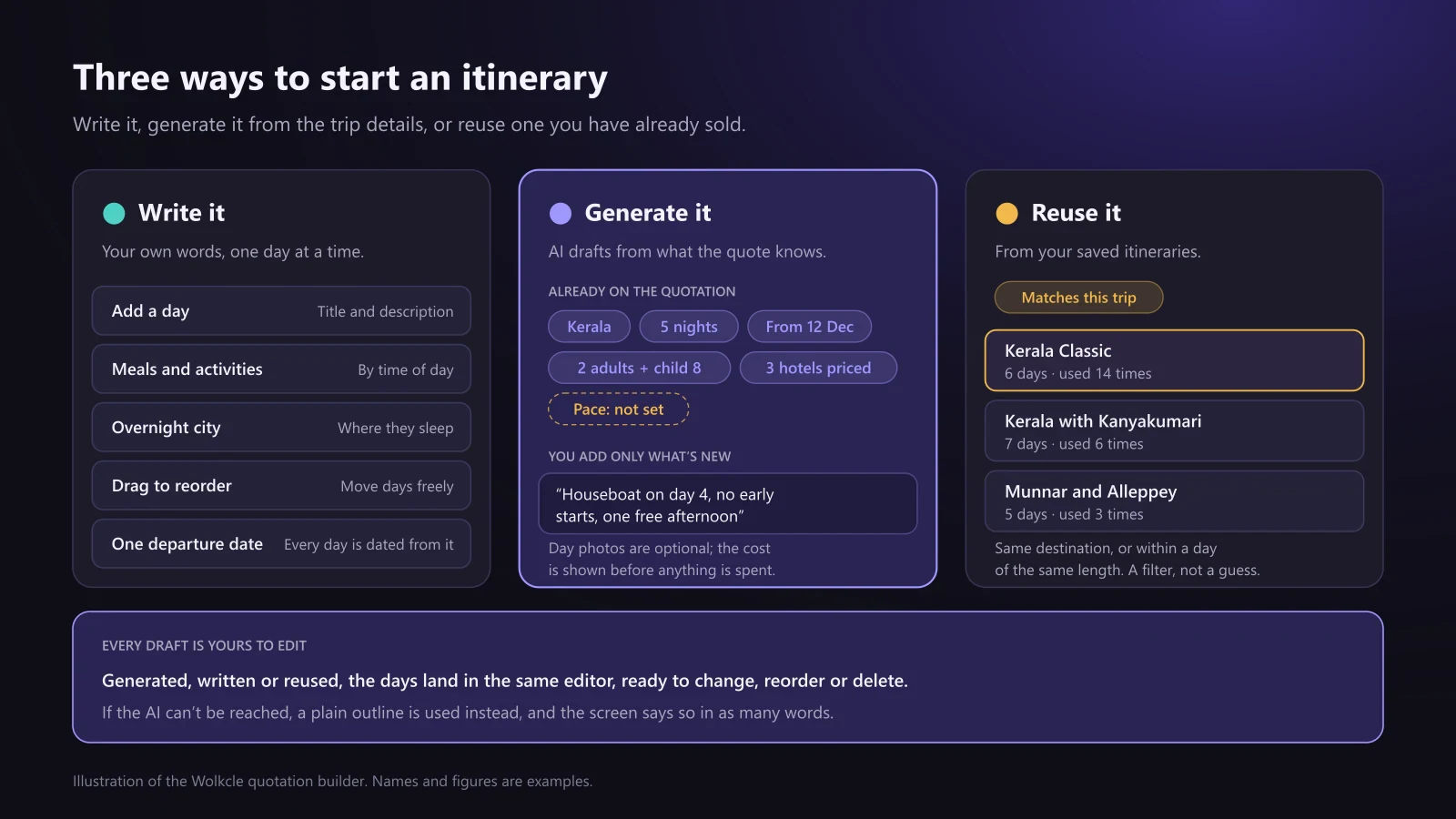
In Wolkcle, the AI itinerary builder is sent the facts the quotation already carries: the destinations, the nights, the departure date, the party and the hotels you have priced. They are shown on screen before you generate, and a detail that is missing shows as missing, so you notice it before the draft is written rather than after. You type only what is new, such as a houseboat on day four or no early starts, and the AI drafts a dated day-by-day programme you can rewrite, reorder or delete. If the AI cannot be reached, a plain outline is used instead, and the screen says so.
For the trips you sell again and again, save the itinerary to your library. When the next enquiry arrives, the picker opens on the saved itineraries that match the trip, by the same destination or a length within a day, so the Kerala programme you sell every week is the first thing you see. Applying one says clearly that it replaces the days already written. And if the trip arrives as a supplier’s PDF or a customer’s WhatsApp message, Gyanvi, Wolkcle’s AI assistant (in beta), can read it and fill the quotation, keeping the supplier’s wording for the itinerary without their prices or contact details.
Step 4: Show the real places, in your brand
Photographs sell the days. Use pictures of the actual places on the route, one per day, and a cover that shows the destination rather than a generic beach. Put your logo, colours and contact details on every page, so the itinerary looks like it came from your agency whoever wrote it.
Wolkcle can generate a scenic photograph for each day you choose, and shows what the photographs will cost before anything is spent, because pictures cost more than words. The PDF carries your cover, colours, typeface and greeting. For the cover, AI paints only the scenic backdrop: your own itinerary photographs, logo and text are placed on top, so the cover shows the places on the trip rather than a plausible invention.

Step 5: Price the itinerary while you build it
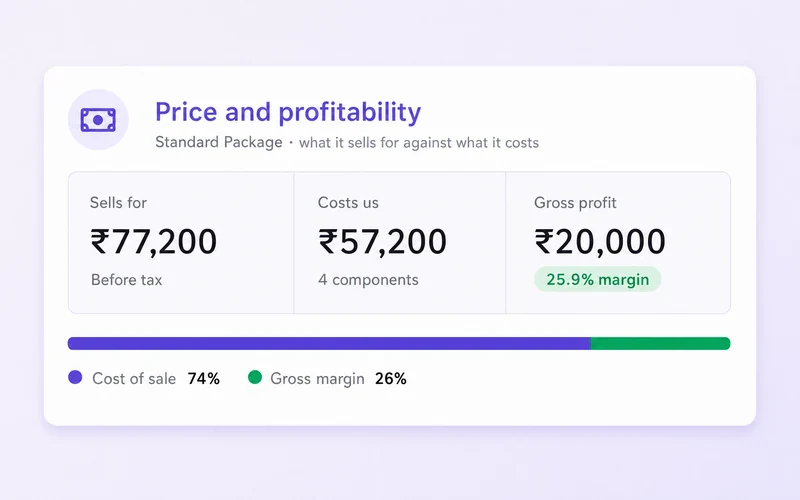
An itinerary without a price is a brochure. The most useful thing an itinerary builder can do is keep the days and the cost together, so adding a night adds the hotel, and changing a hotel changes the price. It also needs to show your margin while you are still deciding the price, not after the customer has it.
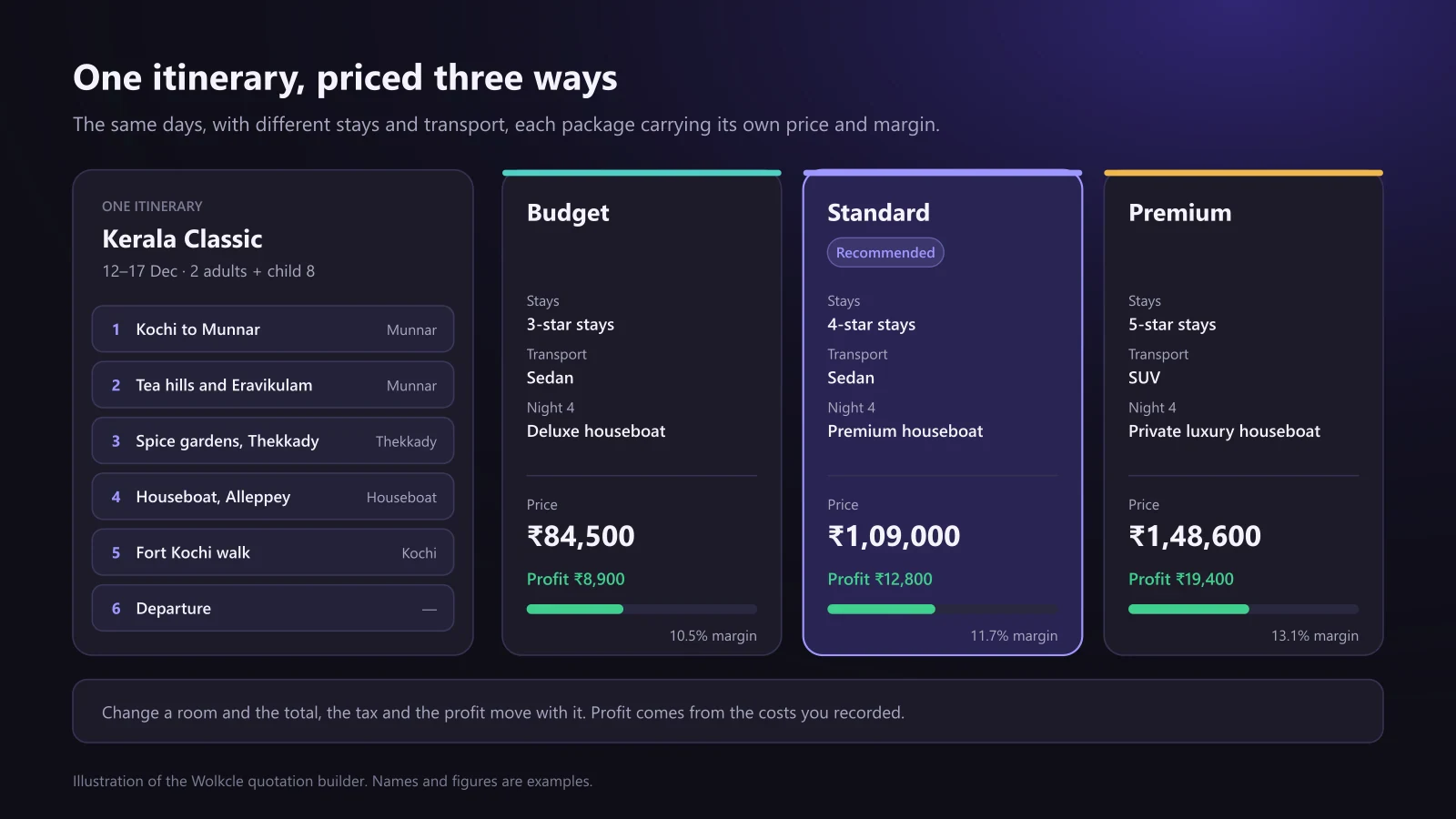
Offer choices, too. The same days with different stays and transport, as a Budget, Standard and Premium package, let the customer choose a level instead of saying no to the only price they saw. In Wolkcle, the itinerary, hotels, transport, flights and extras each have a tab, and all of them feed one price: change a room and the total, the tax and your profit move with it. You can add as many packages as you need, each with its own hotels, transport, add-ons and margin, and mark one as recommended.
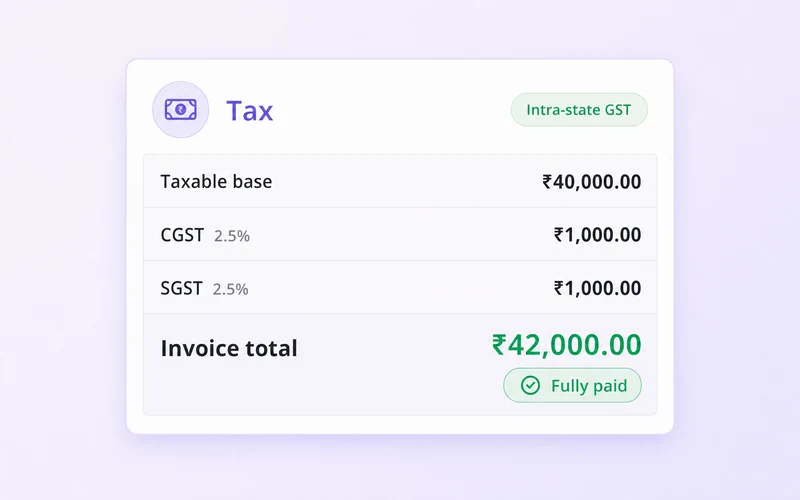
For agencies in India, the price also has to handle tax properly. Each part of the trip carries its own tax rate, and every rate is yours to set: Indian GST defaults are built in, a slab-based levy such as TCS on overseas packages is worked out on its own rules, and the tax can be set up as VAT or sales tax for other markets. Check the rates that apply to you with your accountant.
Step 6: Share it the way customers actually read it
Most travel proposals today are opened on a phone, usually from a WhatsApp message, often in the evening with the rest of the family looking over a shoulder. A twelve-page PDF that needs zooming is a poor way to read a holiday. Send a link made for a phone, with a PDF for those who want to print it, and make it easy to say yes.

Every Wolkcle quotation can be shared as a private link made for a phone: your logo, the route, the day-by-day plan with that night’s stay and the day’s transfers, hotel photo sliders and Google ratings. Your customer compares the packages and taps Accept, or asks for changes, and the acceptance is recorded with who accepted, which package and when. You see when the link is opened. A PDF forwarded on WhatsApp cannot be tracked, so Wolkcle never pretends it was read. Customer links are included in the Business and Enterprise plans and in the free trial.
Step 7: Follow up, revise and turn it into the booking
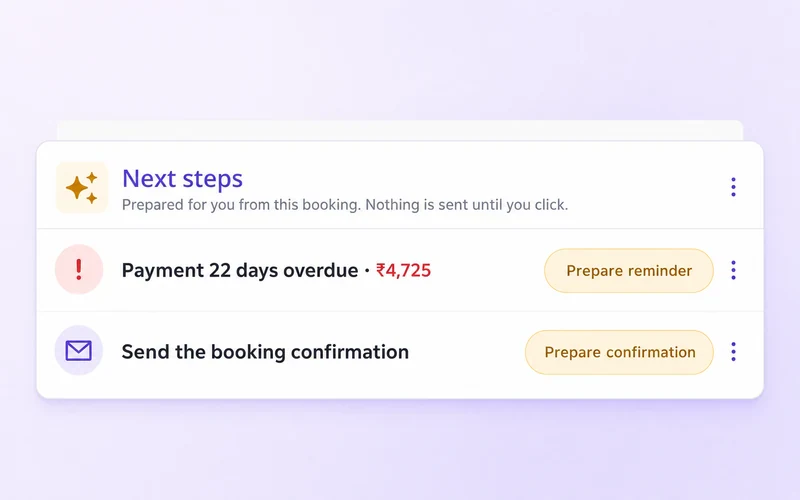
The itinerary’s job is not done when it is sent. Follow up on a schedule, not on memory: a short message two days after sending wins more bookings than a perfect itinerary nobody chased. When the customer asks for changes, keep each version, so you can see what was offered and at what price. And when they say yes, the itinerary should become the booking without anyone typing it again.
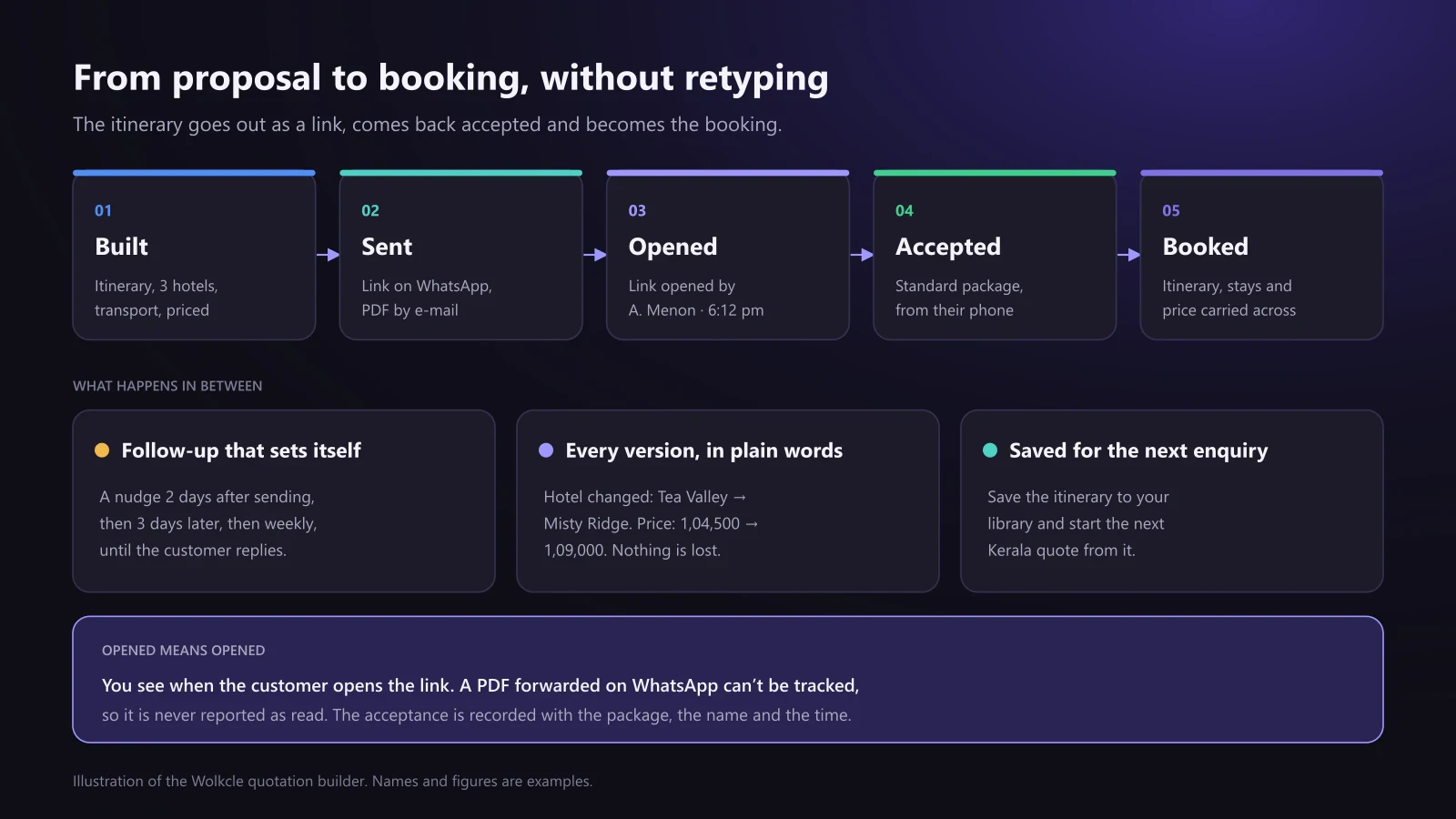
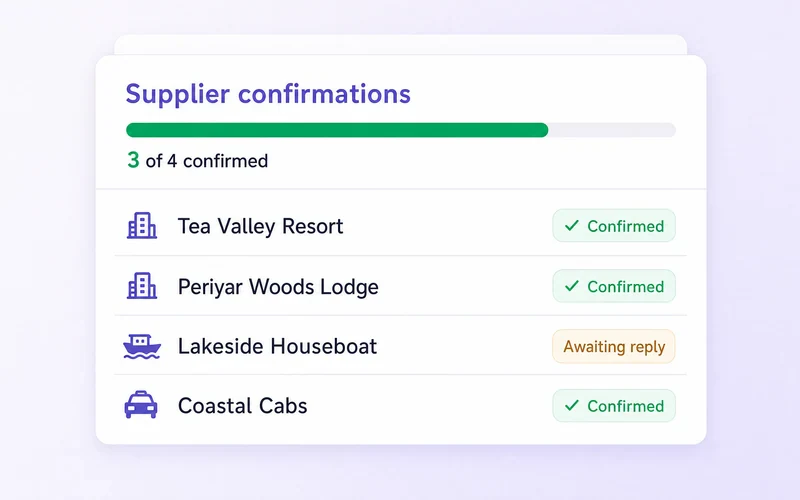
Wolkcle sets the follow-up cadence for you: two days after the quotation goes out, then three, then weekly, until the customer replies or you stop the clock. Every revision is kept, with the changes written in plain language, such as “Hotel changed” or “Price: 1,04,500 → 1,09,000”. When the customer accepts, the quotation converts into a booking in one step: the travellers, itinerary, hotels, transport, flights, extras, price and payment plan carry across, and the supplier work orders and payment schedule are created with it. Our travel booking management guide covers everything that happens next.
Itinerary building for travel agencies, DMCs and tour operators
The seven steps apply to every travel business, but each one leans on the itinerary builder in a different way.
Retail and outbound travel agencies
An agency selling holidays to families, couples and corporate groups writes many custom itineraries, each slightly different, under time pressure, because the customer has asked two other agencies too. Speed to the first good proposal decides most bookings. The tools that matter are AI drafting for a fast start, saved itineraries for the popular routes, several packages in one quotation, and a link the customer can accept from WhatsApp.
DMCs and inbound tour operators
A destination management company builds itineraries for partner agencies abroad, who resell them to their own customers. The itinerary has to be accurate on the ground, with realistic driving times and the right hotels, and priced on net rates with the partner’s commission handled explicitly. It often has to be quoted in the partner’s currency while the DMC pays its suppliers in another. Wolkcle quotes in any of 18 currencies and takes supplier rates in the currency you pay them in, so when the exchange rate moves, you change it once and the quotation reprices. A DMC that receives its enquiries as long e-mails or PDFs from partners gains the most from having those read straight into a quotation.
Tour operators and fixed departures
A tour operator running fixed departures and group tours sells the same programme many times. The itinerary is written once, carefully, and reused for every departure with new dates and new travellers. Here, saved itineraries and templates carry most of the value. In Wolkcle, a quotation saved as a package template keeps its rooming and rates, so a quote started from it arrives priced, not empty, and entering a new departure date re-dates every itinerary day, hotel stay and vehicle service. For the operations side of group tours, rooming lists, deposits and passenger documents, see the booking management guide.

| Travel agency | DMC | Tour operator | |
|---|---|---|---|
| Typical itinerary | Custom holidays for families, couples and corporates | Ground programmes for partner agencies abroad | Fixed departures and group tours |
| What decides the sale | Speed to a good first proposal | Accuracy on the ground and net pricing | A programme that sells departure after departure |
| Most useful feature | AI drafting and packages | Multi-currency and commission | Saved itineraries and templates |
| What goes wrong | The quote arrives a day too late | A driving time that doesn’t work | Last season’s dates or rates on a new departure |
Word, Canva or Excel vs travel itinerary builder software
A Word or Canva itinerary template and an Excel costing sheet are a reasonable start for a one-person agency selling a few trips a month. They stop working at the same point every time: when several people write itineraries, when customers ask for options, or when the owner wants to know which quotes made money. Here is how the approaches compare:
| Word, Canva and Excel | Itinerary builder in a travel CRM | |
|---|---|---|
| Writing the days | Copied from an old file and edited | Written, drafted with AI or reused from a saved itinerary |
| Dates | Typed by hand on every day | Set once from the departure date |
| Price and margin | In a separate spreadsheet | Built with the days, margin visible before sending |
| Package options | A separate file for each | Several packages in one quotation |
| Branding | Depends on who made it | Your cover, colours and typeface on every proposal |
| Sharing | A PDF on WhatsApp, read or not | A phone-friendly link the customer accepts, with opens tracked |
| Changes | Overwritten; old versions lost | Every version kept, in plain words |
| After the yes | Typed again into the booking | Converts into the booking in one step |
A quick test: time how long your team takes to send a priced, branded itinerary for a standard enquiry, from the first message to the proposal leaving. If the honest answer is “most of a day”, the tools are costing you bookings to the agency that replied in an hour.
What to look for in travel itinerary builder software
When you compare itinerary builders for travel agents, build a real trip from last month in each one rather than relying on the vendor’s demo. The software should:
- Build the itinerary, hotels, transport and price together, in one quotation.
- Show your margin while you build, from the costs you actually recorded.
- Date every day from one departure date, and re-date the whole trip when it moves.
- Draft itineraries with AI from the trip’s own details, and never send anything you have not checked.
- Save itineraries you sell often, and find the right one for a new enquiry quickly.
- Offer several packages in one proposal, with one marked as recommended.
- Produce a branded PDF and a link made for a phone, with online acceptance.
- Follow up on a schedule, and keep every version of the quote.
- Turn the accepted itinerary into the booking without retyping it.
- For agencies in India: rupee pricing, GST by component and TCS on overseas packages.
Wolkcle covers every point on this list, with the itinerary inside the quotation and the quotation connected to bookings, invoices and payments. If you are choosing a system for the whole agency, our complete guide to travel CRM software covers the wider buying decision, and agencies in the UAE will find AED and VAT specifics in our guide to travel agency CRM in Dubai. Plans start at ₹999 a month; see the pricing page.
The bottom line
A travel itinerary builder earns its place when the itinerary stops being a document and becomes the sale: written fast, priced as it is written, shown in your brand on the customer’s phone, chased on time, and carried into the booking without being typed again. The writing will always need your knowledge of the destination. Everything around it can be done for you.
To try it on your own trips, start a free 14-day trial. If you would rather be shown around first, book a walkthrough and the team will build an itinerary and quotation with you, using the kind of trips you sell.