
Travel quotation builderQuotes your customers say yes to.
Build the whole trip in one place, priced from your own hotel and transport rates. See your profit before the price goes out, then send a branded link your customer can accept from their phone. The accepted quote becomes the booking.
A quotation isn’t a document.
It’s the deal.
Most agencies price the trip in a spreadsheet, retype it into Word, send a PDF on WhatsApp and chase from memory. The margin is a guess, every revision starts over, and the booking is typed in a third time.
Spreadsheet, Word and WhatsApp
- Hotel rates copied from contract PDFs, line by line
- The margin worked out on a calculator, after the price is sent
- A Word file restyled for every customer
- No idea whether the customer even opened it
- The whole trip typed again once they say yes
Wolkcle
- Hotels and vehicles from your catalogue, at your contracted rates
- Cost, selling price and profit on every line, live as you build
- A branded PDF and a customer link from the same quotation
- See when the link is opened, and let them accept online
- One step turns the accepted quote into a booking
From enquiry to accepted quote, in four steps.
The builder follows the way your team already quotes, and takes the typing out of each step.

The next quote starts where the last one ended.
Most enquiries look like a trip you have already sold. Start from that one, with its hotels, rooming and rates, instead of an empty page.
Templates that keep the money
Save any quotation as a package. Rooming and rates come with it, so a quote started from a template arrives priced, not empty.
The closest match, suggested
A new enquiry is scored against your packages on destination, length, party, season and how often you have sold it. A clear rule, not a guess.
One date dates the whole trip
Enter the departure date and every day, check-in and vehicle date follows. Lines on an out-of-season rate are flagged and repriced in one pass.

Know your margin before the customer knows the price.
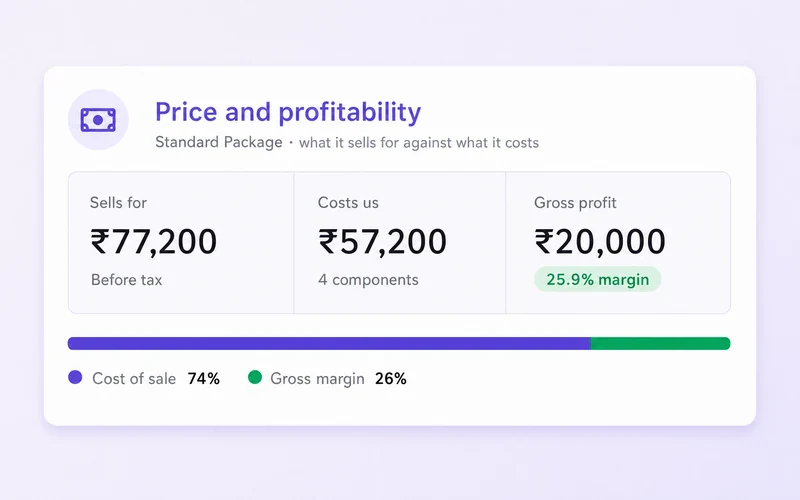
Costs, markups, discounts and taxes roll up into one ledger, and your profit is recalculated as you work, not after the price is out.
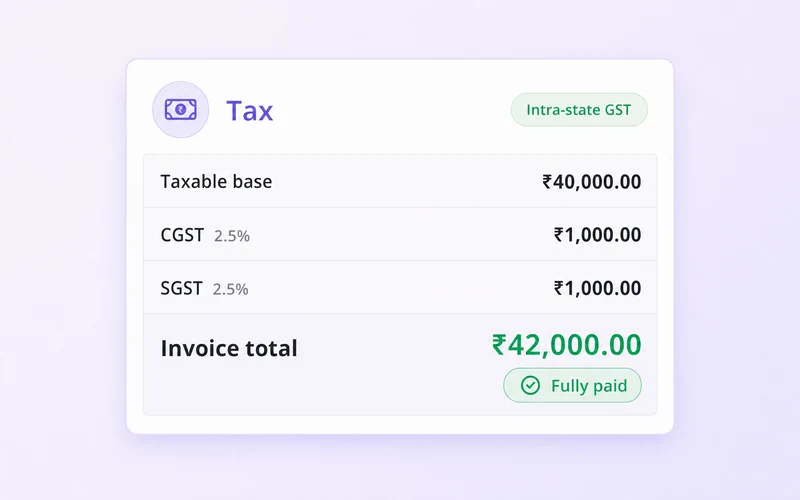
Tax by component, at rates you set
Hotels, transport, flights and each service carry their own rate. Indian GST defaults are built in, TCS is worked out on its own slabs, and VAT or sales tax can be set up instead.
Buy in one currency, sell in another
Enter supplier rates in the currency you pay. When the exchange rate moves, change it once and the quote reprices.
Per-person prices that add up
Adult, child and infant prices, child age bands and single supplements, worked out from the hotel’s own rates.
Ready for B2B
Quote partner agencies on net rates, with their commission handled for you.
| Component | Cost | Markup | Sell |
|---|---|---|---|
| Accommodation | ₹52,000 | +18% | ₹61,360 |
| Transportation | ₹14,400 | +12% | ₹16,128 |
| Flights | ₹18,600 | +5% | ₹19,530 |
| Services | ₹11,200 | +25% | ₹14,000 |
Give them a choice. Let them say yes from their phone.
Put Budget, Standard and Premium in one quotation. Your customer opens one link, compares them, and accepts the one they want.
Several packages, one quote
Budget, Standard and Premium, each with its own hotels, transport, policy and margin. Mark one as recommended and compare your profit on all of them before you send.
Accept online, or ask for changes
The acceptance is recorded with who accepted, which package and when. A change request comes straight back to the quotation.
They see what you sent
Your customer keeps the version you sent until you share an update, so a half-finished edit never reaches them.

 Your Agency
A PDF in your brand
Your cover, colours, typeface and greeting, with a scenic backdrop painted behind your own photos. Choose exactly which sections the customer sees.
A link that sells the trip
Your logo, the route, the day-by-day plan, hotel photo sliders and Google ratings, all on a page made for a phone.
Clear terms, easy to pay
The cancellation policy as a simple timeline, the payment schedule, and how to pay by bank transfer or UPI.

A quote that’s sent
isn’t a quote that’s won.
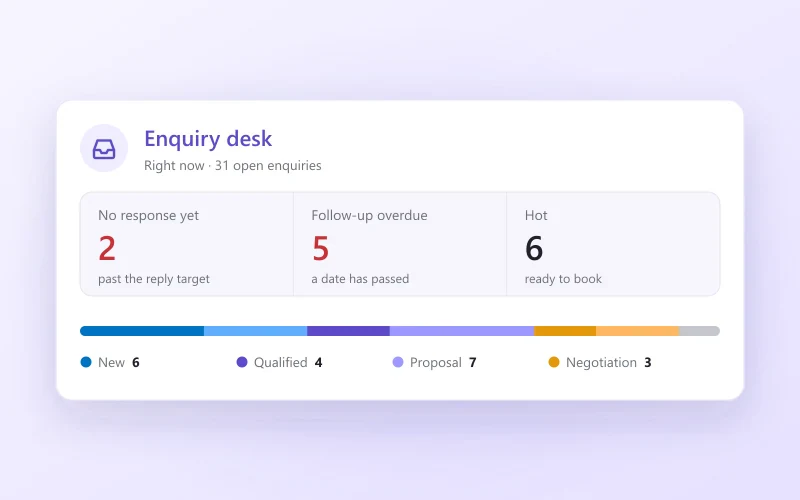
Wolkcle tracks where every quotation stands and tells your team what to do next, so no enquiry quietly goes cold.
- Draft
- Sent
- Opened
- Negotiating
- Won
- Booked
Follow-ups that set themselves
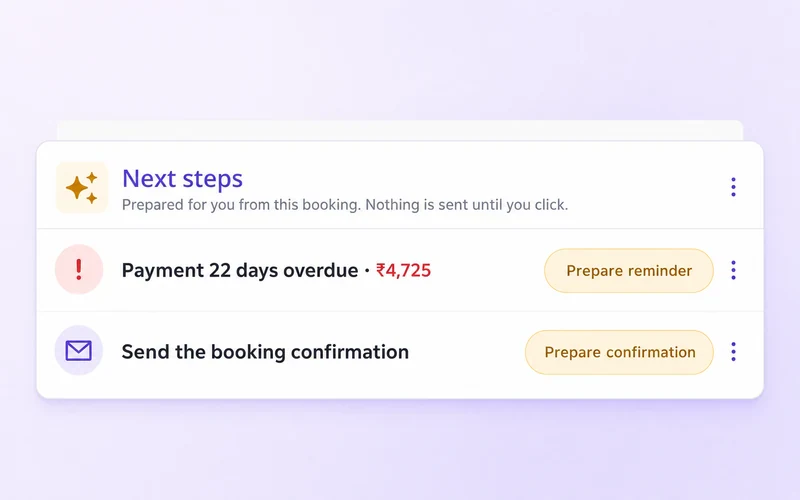
A chase is due two days after you send, then three, then weekly, until the customer replies or you stop the clock.
Opened means opened
You see when the customer opens the link. A PDF forwarded on WhatsApp can’t be tracked, so Wolkcle never pretends it was read.
Every version, in plain words
“Hotel changed: Tea Valley → Fragrant Nature.” “Price: ₹1,20,454 → ₹1,38,940.” Every revision is kept and easy to read.
Validity that’s managed
Quotes expire on schedule, 56 days unless you choose otherwise. Extend and resend in one step.
Won and lost, with the reason
Losses are recorded against one list of reasons, so “why are we losing?” finally has an answer. Reopen a deal when the customer comes back.
Your team, your rules
Roles decide who can build, discount, send, accept or convert a quotation, and every change is attributed.
Each check can block, warn or be switched off in your settings. A conversion made in error can be undone.
When they say yes, the booking is already done.
The accepted quotation becomes a booking with its travellers, hotels, transport, flights, extras, price and payment plan. Supplier work orders and the payment schedule come with it.
A check before it converts
Wolkcle looks at the margin, whether the price moved since the customer accepted, how close departure is and whether costs are missing, and tells you what it finds.
Your policy decides
Each check can block, warn or be switched off. Price drift blocks by default, so you never invoice a figure the customer didn’t agree to.
Reversible
A conversion made by mistake can be undone.
Spreadsheets weren’t built for this.
A quotation is three jobs at once: a costing, a sales document and a negotiation. A spreadsheet does the first one badly and the other two not at all.
| What you need | Excel / Sheets | Wolkcle |
|---|---|---|
| Cost, selling price and profit on every line | Partly | |
| Tax per component, at rates you set | Partly | |
| Hotels and vehicles from your own rate catalogue | ||
| Hotels and transport planned for you | ||
| Several packages compared in one quote | ||
| Branded PDF and a mobile customer link | ||
| Customer accepts online | ||
| Follow-up reminders and deal stages | ||
| Every version kept, in plain words | ||
| Becomes a booking without retyping |
What agencies ask first
It is where a travel agency puts together a priced trip proposal: the day-by-day itinerary, hotels, transport, flights and extras, with the cost, selling price and taxes worked out, ready to send to the customer. Wolkcle’s quotation builder also follows the quote after it is sent, and turns it into a booking when the customer accepts.
Yes. Hotels and vehicles come from your own catalogue, with your contracted rates, seasons, meal plans and child policies, and you can add any line by hand. Wolkcle prices from your rates; it is not a booking engine, so confirm availability with the hotel before you promise it.
Every quotation has a private link that is made for a phone. Your customer reads the trip, compares the packages and taps Accept, or asks for changes. The acceptance is recorded with the package, the name and the time, and you can switch the link off whenever you like.
Yes. Add as many packages as you need, such as Budget, Standard and Premium. Each has its own hotels, transport, add-ons, policy and margin, and you can mark one as recommended.
Each part of the trip carries its own tax rate, and every rate is yours to set. Indian GST defaults are built in, a slab-based levy such as TCS is worked out on its own rules, and the tax can be set up as VAT or sales tax for other markets. Check the rates that apply to you with your accountant.
Yes. Quote in any of 18 currencies, and enter supplier rates in the currency you pay them in. When the exchange rate moves, change it once and the quotation reprices.
Where it saves typing. The trip planner picks hotels and transport from your own rates, the itinerary can be drafted from a one-line brief, and the PDF cover backdrop can be painted behind your own photos. Gyanvi, in beta, builds the quotation from a supplier’s PDF or a customer’s message. Every suggestion waits for you to accept it.
Convert the quotation into a booking in one step. The travellers, hotels, transport, flights, extras, price and payment plan carry across, and the supplier work orders and payment schedule are created with it. Nothing is typed twice.

Quote your next enquiry in Wolkcle.
Build it, check the margin, send the link, and watch it come back accepted. Your rates, your brand, your call.
- Priced from your rates
- Margin before you send
- Accepted by link
Have the brief as a PDF already? Meet GyanviSee pricing
- BuiltItinerary, 3 hotels, transport, flights
- PricedProfit ₹12,800 on ₹1,09,000
- SentLink opened by A. Menon · 6:12 pm
- AcceptedStandard package, from their phone