Product updates

What’s new in Wolkcle

Every release, with the changes that matter most to an agency. The same notes you see in the app under What’s new.

  1. Version 1.4.0Latest
    • Quotations now plan their own hotels

      Press Plan the trip (or Plan the stay only from the menu) on a quotation with dates and travellers, and the system books a hotel for every night by itself — the way a consultant would.

    • Quotations now plan their own transport too

      Press Plan transport and the system plans it the way a consultant would.

    • Plan the whole trip in one go

      Plan the trip books the hotels for every open night and then the transport that joins them, in one card you can review from either tab.

    • A short guide to the trip planner

      The first time you open the Accommodation or Transportation tab of a quotation, a few quick steps point out Plan the trip and Plan transport, what they use, and how the suggestion card works.

    • Your usual markup, beside every quote

      The Pricing tab now shows the margin you usually win with on hotels, transport and flights for this kind of package (domestic or abroad, at its level), next to this quote's.

    • Add-ons and flights from trips like this one

      When you open Additional items, the quotation looks at the trips your agency WON that are most like this one (same destinations, party, length, level and season) and suggests library add-ons they carried that this…

    • Transport planned around your flights

      When a package has flights, the transport planner meets the party at the airport the flight lands at, at the time it lands ("Arrival transfer · lands 12:55 · 6E-2"), and drops them for the flight out.

    • Planned days carry their names

      A free day planned with a vehicle now takes its title from the itinerary ("Day 3 · Desert safari") and is priced from the vehicle's matching service when it has one.

    15 more improvements2 fixes

  2. Version 1.3.0
    • Frame your header photo the way you want it

      In Web Settings → Header image, a photo of your own now has three new controls: Fill (the photo fills the header, trimmed around the spot you choose) or Fit (the whole photo shows, with a soft copy of it filling the…

    • "Prepared by" on your customer links shows your photo

      The contact card on quotation and trip links is now titled "Prepared by" and shows your profile picture, or your initials if you haven't added one.

    • Your links look good when you share them

      Paste a quotation or trip link into WhatsApp, Facebook, LinkedIn, X, iMessage, Slack or Telegram and it opens up as a proper preview: the trip's title, how long it is and where it goes, your agency's name, and a…

    • Your customer now sees who's travelling

      The Overview of a quotation or booking link has a new "Who's travelling" panel: the lead traveller with the email and phone you have on file (partly hidden, so the link is safe to forward), the party at a glance —…

    • Export your hotels to Excel

      On the Hotels page, press the download button beside Import to save every hotel your search and filters match — the whole list, not just the page you're on — with their room types and rates.

    • Quote a saved package straight to an enquiry or a customer

      Open an enquiry and choose Quotation from a package (or From a package on its Quotations tab), or pick it from a customer's menu.

    • Clear out unfinished quotations in one go

      On the Quotations page, tick the unfinished quotations you no longer need — or select them all — and delete them together.

    • See each hotel on a map

      Open a hotel and its address now shows on a Google map, with one-click links to open it in Google Maps or get directions.

    199 more improvements158 fixes

  3. Version 1.2.0
    • The Pricing tab on a booking now reads as one page instead of four

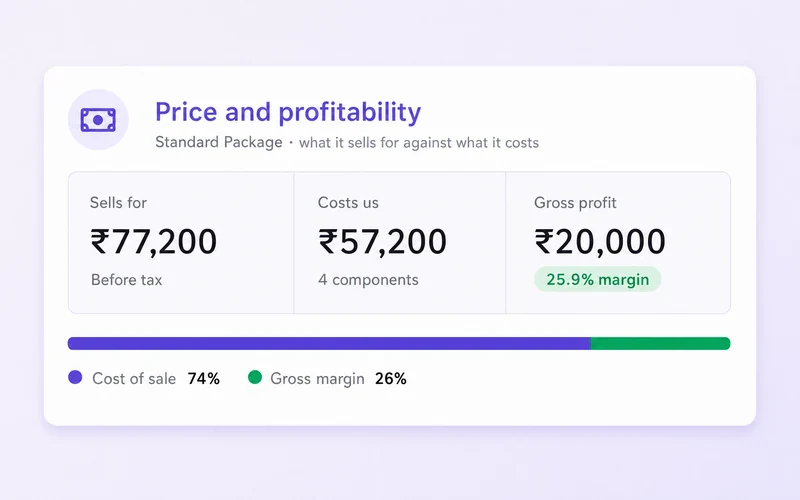
      It opens with what the booking sells for, what it costs and what it earns, with a bar showing how much of the price is cost and how much is margin.

    • The itinerary on a booking now opens with the plan, not with day one

      A summary at the top counts what the itinerary actually says — days written, days with an overnight stay, activities and meals — and a Day plan list underneath jumps straight to any day.

    • Notification settings are easier to find your way around

      A list of sections down the side jumps you to Delivery or to any category, and marks the ones you have changed but not saved.

    • Creating and editing a customer now matches the rest of the app

      When you save, every field that needs fixing is marked at once, with the message under the field and a count on each tab, instead of one message at a time.

    • Viewing a booking now opens with who created it, with their role and one-click email and call buttons, just like a quotation

      The customer and travellers are shown the same way as on a quotation too.

    • The "needs your attention" box at the top of a booking is clearer

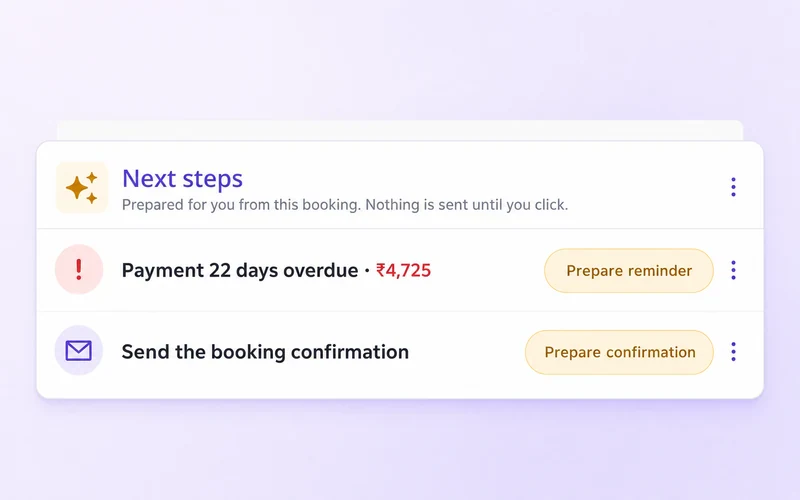
      It says how many things need doing and how many are overdue, lists the most urgent first, and each line now takes you straight to where you fix it.

    • The booking Overview page has been rebuilt

      Travellers are now a list of people rather than a wall of forms: each one is a single row showing who they are, their traveller type and age, nationality, passport number and visa status at a glance, with a warning…

    • Upcoming bookings can now be summarised on demand

      The counts strip above the grid — departing this week, suppliers unconfirmed, documents outstanding, vouchers not sent, payments overdue — now sits behind a summary button in the page header, the same one the…

    17 more improvements48 fixes

  4. Version 1.1.0
    • You are now told when your trial or plan is about to end, and when it has

      Nothing was ever sent before: a free trial simply stopped working, and the first sign of it was a Create quotation button that no longer worked.

    • Share quotations from your own web address

      Add a subdomain you own — quotes.youragency.com — under Settings → Customer link domain, and the quotation and trip links you send will use it instead of the Wolkcle address.

    • Every quotation now says who prepared it

      The PDF is signed with the name of the team member who created it, along with their email and direct number, so the customer knows exactly who to reply to.

    • Tidemark joins the quotation PDF designs, with a photographic cover, clear pricing and accommodation details, and an Andaman sample preview with a complete seven-day island itinerary

    • Choose the design your quotation PDF is exported with

      The PDF Settings tab now opens with a template gallery.

    • See the document before you choose it

      Every template card has a Preview button that opens the real quotation in a new browser tab — the document itself, nothing else on the screen, exactly the way a PDF opens.

    • Phone numbers on an enquiry now carry their country

      The new-enquiry and edit-enquiry forms use the same phone field as the customer form: pick the country from a searchable list, type the number, and it is stored complete — so it can be dialled or messaged from the…

    • Send customer emails from your own address

      Add your business domain in Email Configuration, publish the DNS records shown, and your quotations, bookings, invoices and vouchers go out as business@yourcompany.com instead of the Wolkcle sender.

    129 more improvements82 fixes

  5. Version 1.0.0

    The first versioned release: the baseline every later version is measured against.

    • Versioning

      The product now carries a real version number.

Try the latest, with your own trips

Fourteen days with every feature. No card needed.

Chat with us